iOS iPhone/iPad TslaMirror
https://TslaMirror.com
Note: TslaMirror.com is the iOS casting address. The product and support website is TeslaMirror.com.
Android TslaMirror
https://TeslaMirror.net:9999
Note: TSL6.com will be redirected to https://TeslaMirror.net:9999.
Recommended Settings
- MCU3 (AMD Ryzen): H.265 mode at 720p@60 fps is recommended because 1080p requires higher bandwidth. MCU3 supports up to 1080p@60 fps with both H.264 and H.265.
- For Tesla in-car software version 2025.38.11 or later, H.265 mirroring is now recommended for both MCU2 and MCU3.
- MCU2 (Intel Atom): H.264 mode at 540p@30 fps is recommended only for very old versions of Tesla's in-car software.
- MJPEG mode is provided for legacy compatibility and may offer reduced performance.
Mirror your phone to your car's browser.
Start Now!YouTube Demo Videos
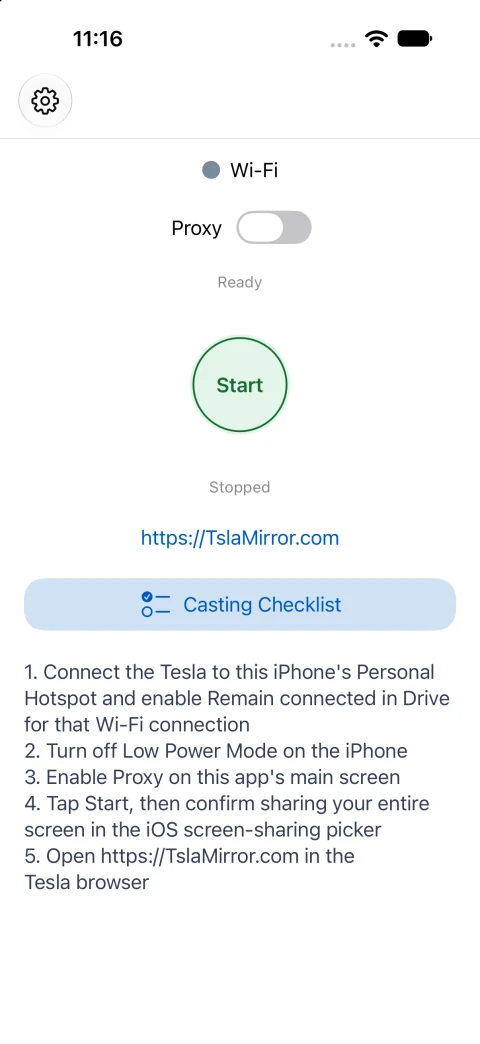
App screenshot · Version 9.83 · Light mode
Get TslaMirror for your car browser
Bring your phone screen to a compatible in-car browser over a private local hotspot. Download TslaMirror for iPhone and iPad from the App Store, or for Android from Google Play.
One name on both platforms: The iOS and Android apps were both previously called TeslaMirror. Android has now joined iOS under the name TslaMirror. See the app name FAQ for details.

iOS app descriptionAndroid app description
Setting up screen mirroring on a Tesla Model 3 or Model Y? Follow the iPhone hotspot and Screen Broadcast guide or the Android hotspot setup guide. Check MCU2/MCU3 compatibility and complete setup while parked.
For Android, compare full-screen, Single-app, and Android Auto Casting, or check what is free and when Premium is required.
Latest app updates
iOS 9.87 (build 210): fixed browser remote control when TslaMouse is connected, clearer permission setup and button labels across 29 languages, and more readable mirroring mode settings. Mirroring still requires the relevant permissions.
After updating TslaMirror: If your browser still has a mirroring page open from before the update, refresh it once to load the latest remote control fix.
Android 10.10 (build 491): Now Playing information and artwork in all three modes, Classic Mirroring web screen off/on, better screen restoration, hidden-control touch fixes, and optional screen debug logs.
Now Playing requires web audio and notification access. Classic web screen controls support MJPEG, H.264 and H.265, and require Android 11+, wireless debugging pairing and local service setup.
Screen mirroring for your car browser
A private, local connection for displaying your phone screen in a compatible in-car browser.
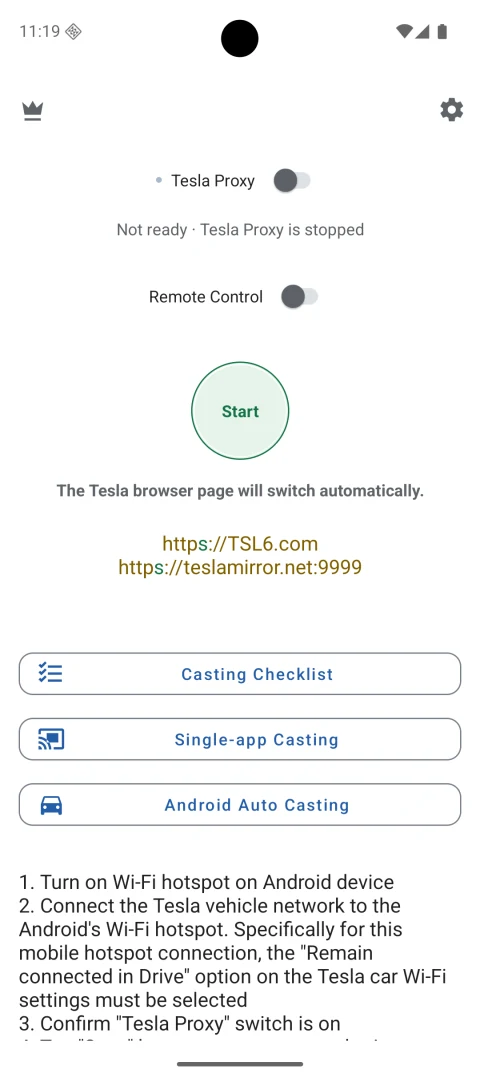
Earlier screenshot · Version 10.03 · Before the rename
No Extra Internet Traffic
No additional internet traffic required for screencasting!
No Extra Hardware Needed
No extra hardware needed—it's a complete software-based mirroring solution!
Private App Mirroring
Private app mirroring: the screencast is only available to devices connected to the iOS/Android Personal Hotspot Wi-Fi network!
Fast Network
Fast and efficient—it works solely over the mobile hotspot network with no need for public internet routing!
Looking for Tesla AirPlay? TslaMirror uses iOS Screen Broadcast and a local hotspot; it does not add native AirPlay or Apple CarPlay. Read the Tesla AirPlay and iPhone screen mirroring FAQ for setup details and troubleshooting.
Your phone.
Your car browser.
Connect your car to your phone's hotspot, enable Proxy, start casting, and open the matching address in a compatible in-car browser. See the platform guides for browser and vehicle requirements.

Android: https://TSL6.com → https://TeslaMirror.net:9999